Atelier~/useatelier.dev
Download
esc

Run many Claude Code sessions.
Never lose track.

A desktop workbench around the real Claude Code CLI. Live states for every session, one key to the next one waiting for you — and the rest of your work beside them: editor, terminals, Git, Docker, Redis.

Free · Apple Silicon · macOS 13+ · Windows 10 & 11 · Notarized by Apple

Sessions

Know who needs you.

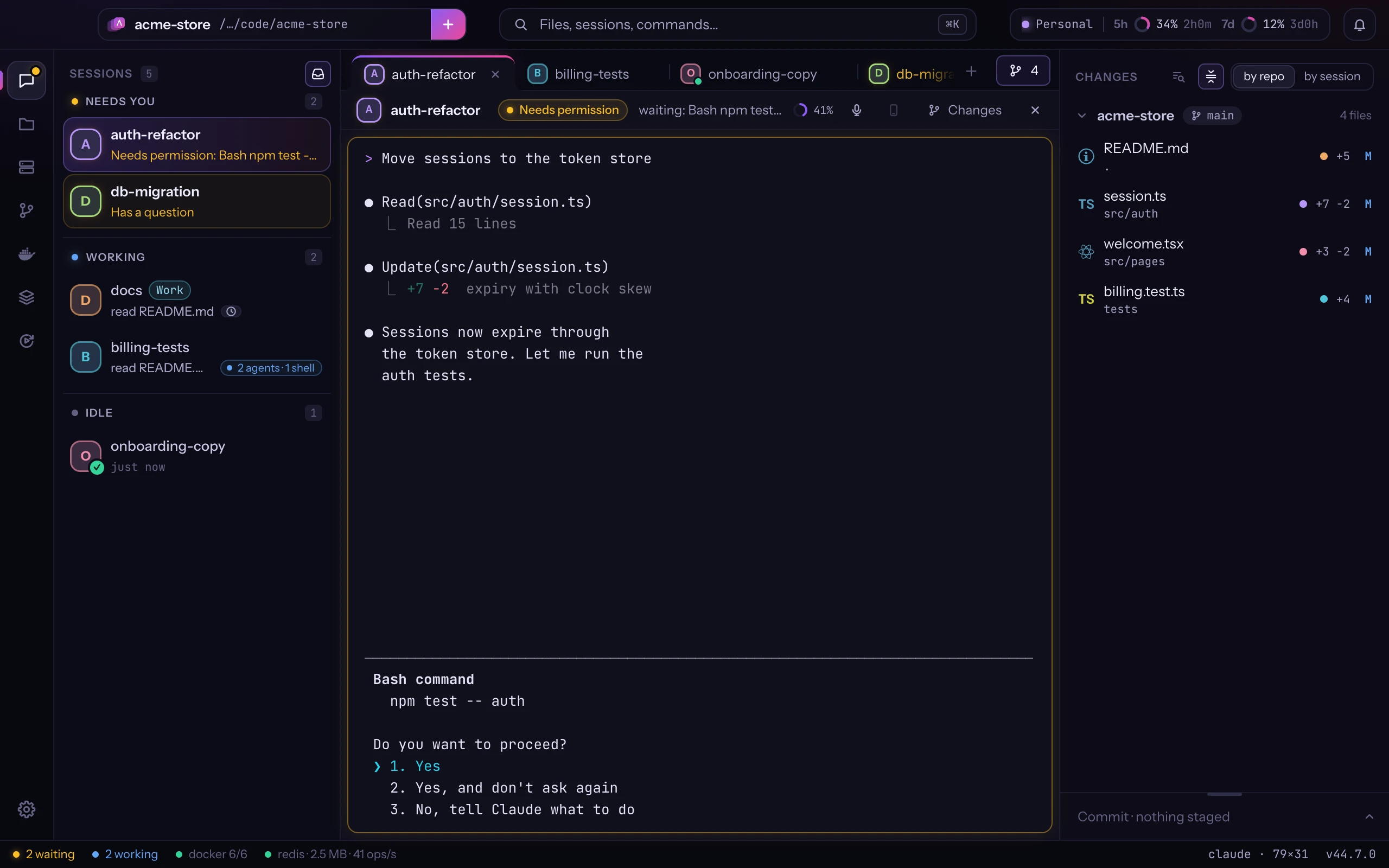
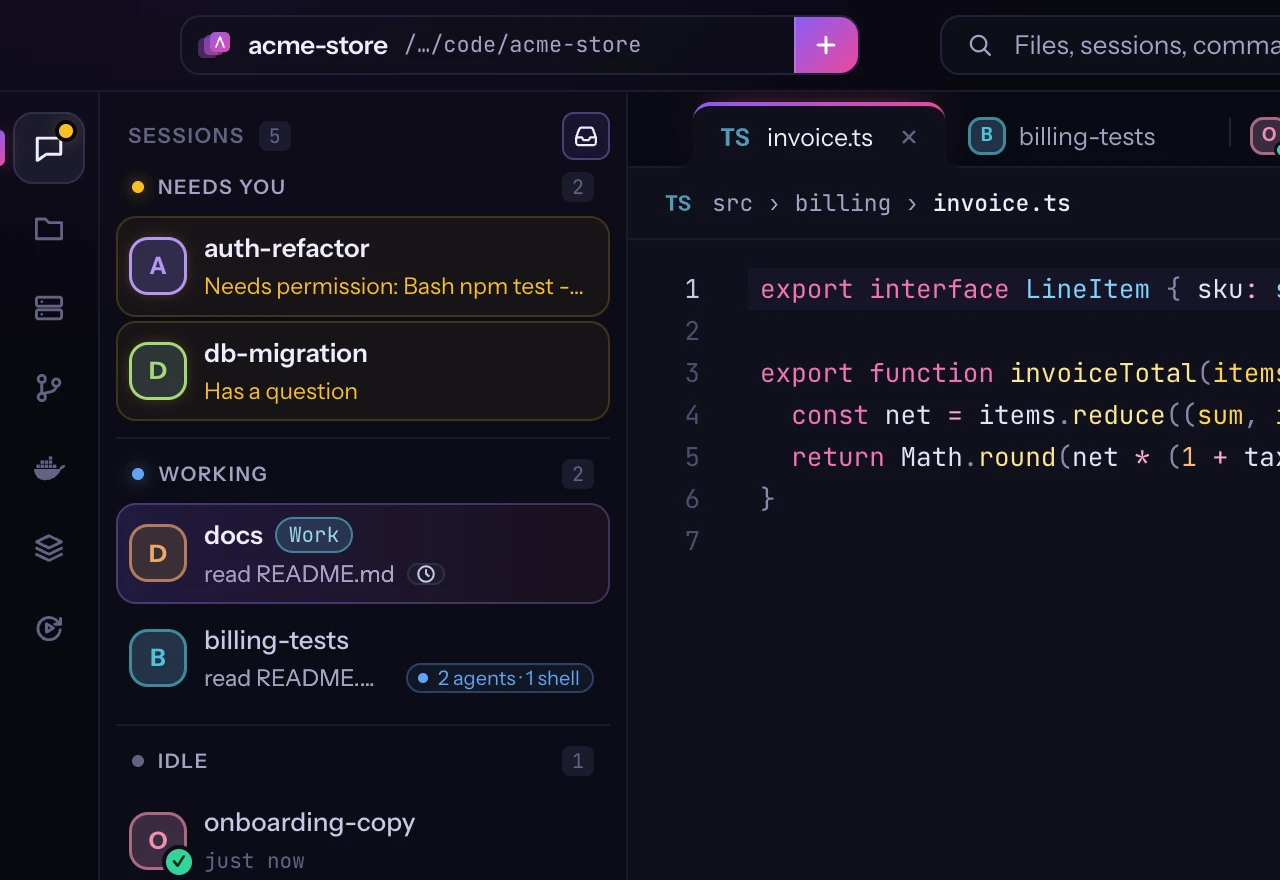
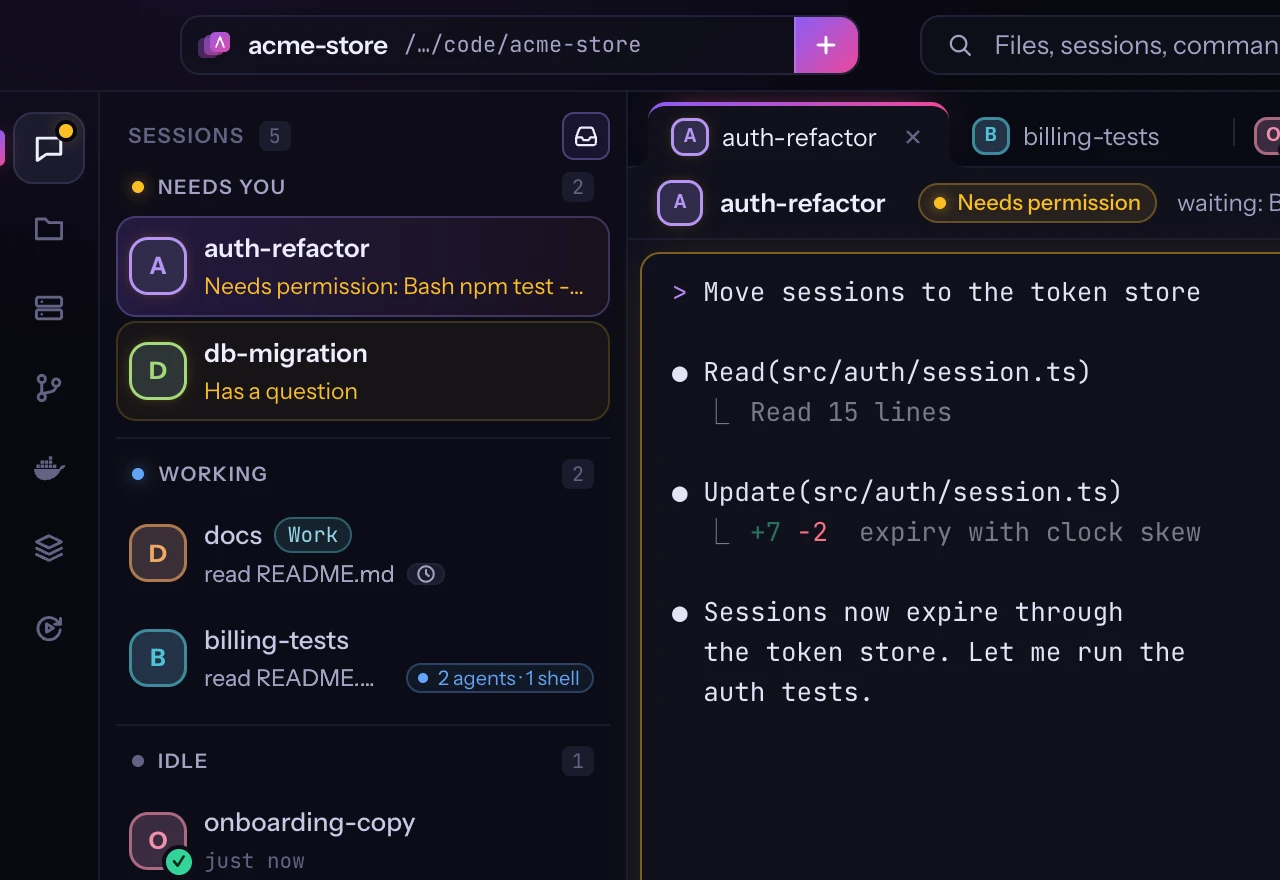
Every session shows what it is doing. When one needs you, you know — and ⌘J takes you there.

  • Needs permission, has a question, working, done, failed
  • Notification center, Dock menu and banners
  • Context, cost and limits, for each of your Claude accounts
Try it live
Sessions grouped by state: two need you, two are working, one is done
Waiting for you⌘J next waiting

Workspace

Everything side by side.

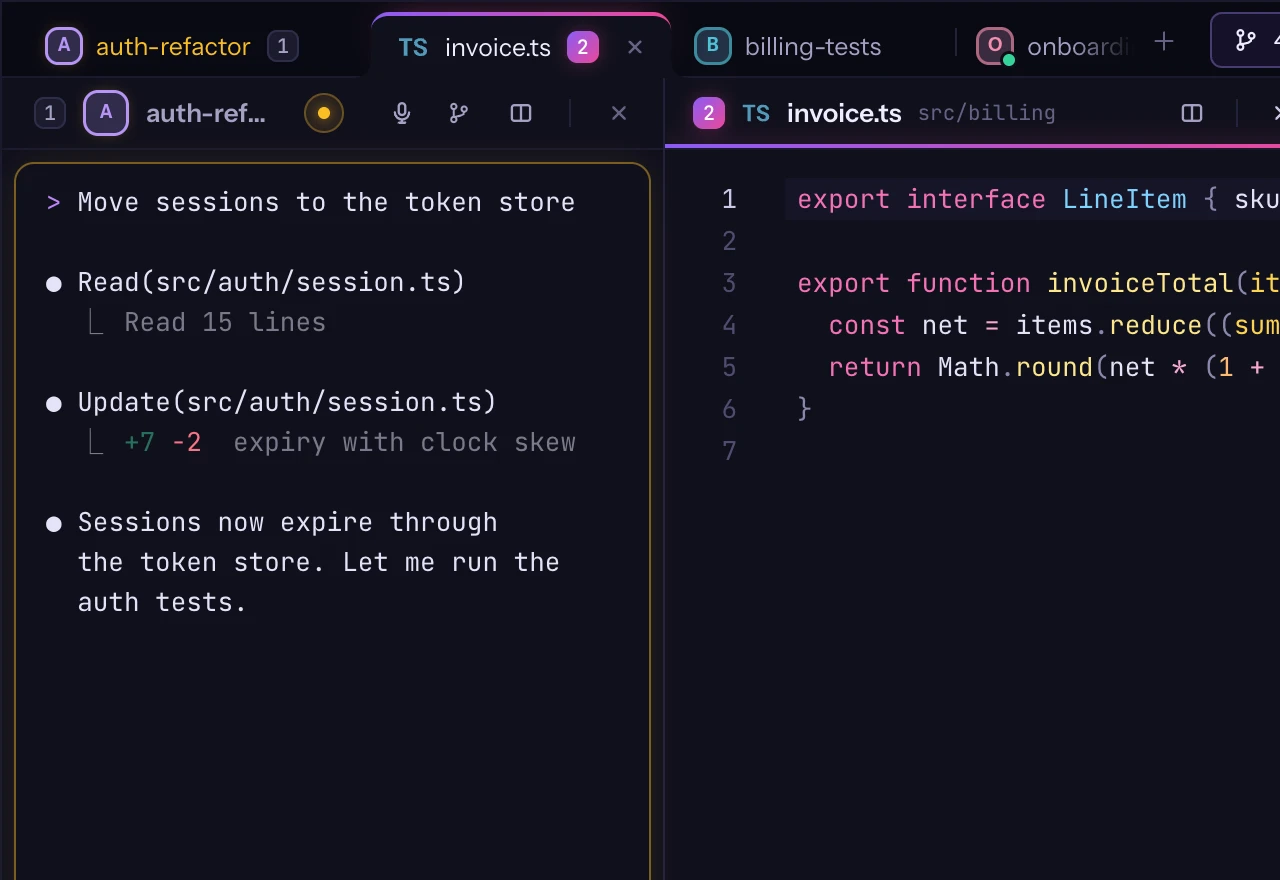
Sessions, terminals and files are tabs. Put up to three side by side and keep your hands on the keyboard.

  • Split view with up to three panes (⌘\)
  • Command palette (⌘K) for files, sessions and commands
  • Drag a tab out into its own window (⇧⌘O)
Try it live
A Claude Code session next to a file in split view
⌘\ split

Background

See what runs in the background.

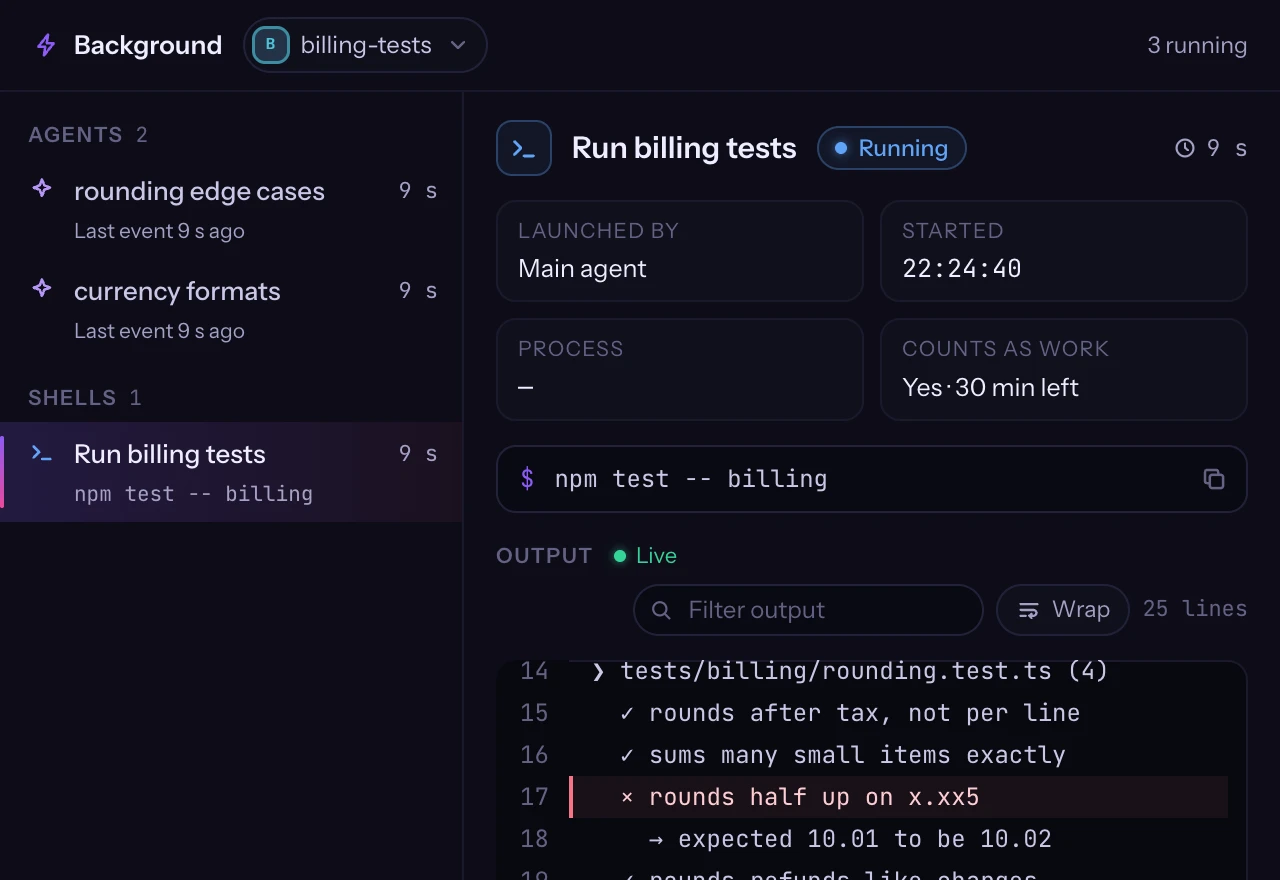
Click a session's chip to see its agents, shells and monitors. Open one beside the session and watch it live.

  • Live output of background shells and monitors
  • Each subagent's steps as it takes them
  • Scheduled wake-ups with a countdown
Try it live
The Background tab of a session: two agents and a test run listed, the test run's output arriving live
⌘⌥B Background

Docker

Your containers, next to Claude.

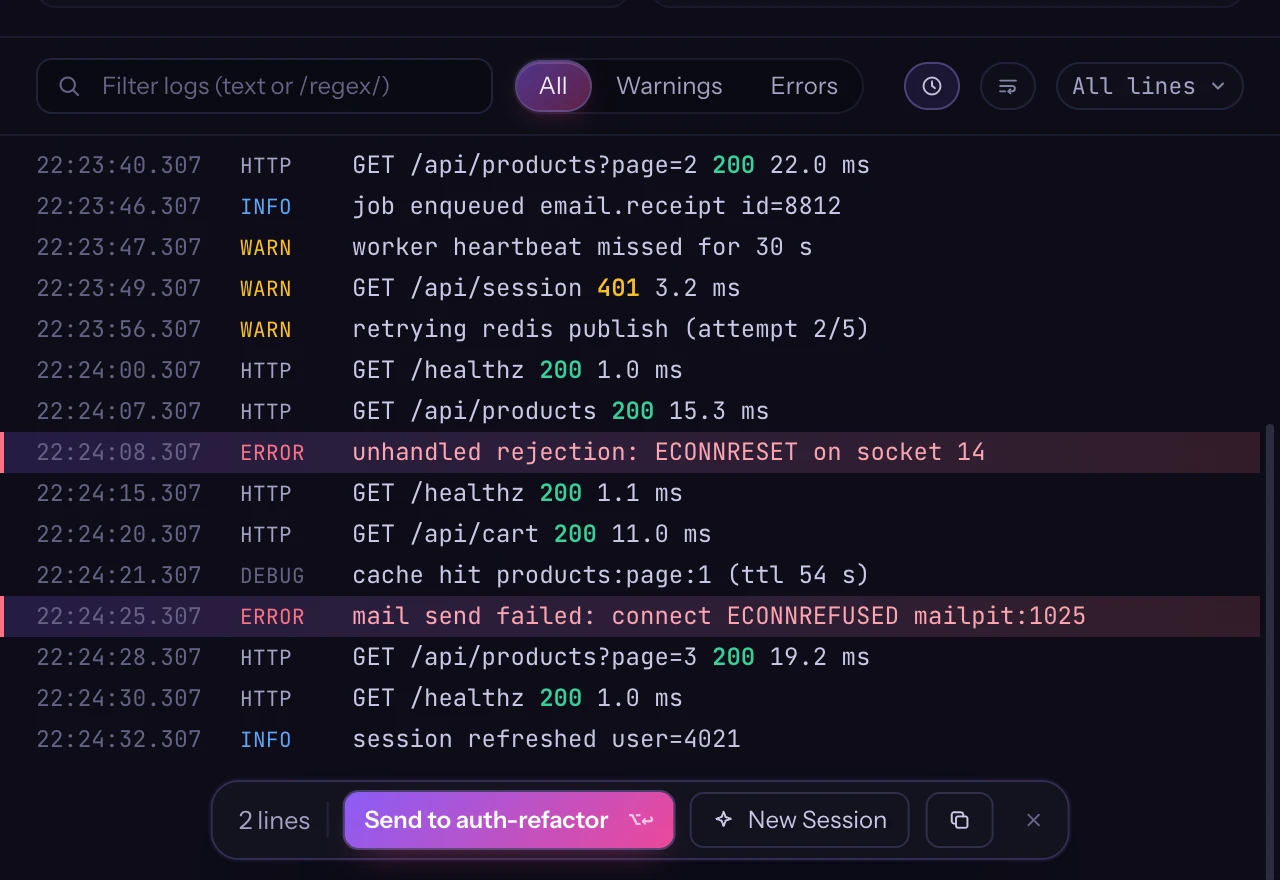
Atelier finds Docker Desktop, OrbStack or Colima on its own. Read your stack's logs, see why a container stopped, and send the lines that matter to a session.

  • Logs of one container or the whole stack, errors and traces folded
  • Why it stopped: exit code, last lines, environment with secrets masked
  • Read-only: Atelier never starts, stops or runs anything in a container
Try it live
The logs of a Docker container in Atelier: two errors selected, ready to send to a Claude session
⌥↵ send to the session

Redis

Your Redis, keys and queues.

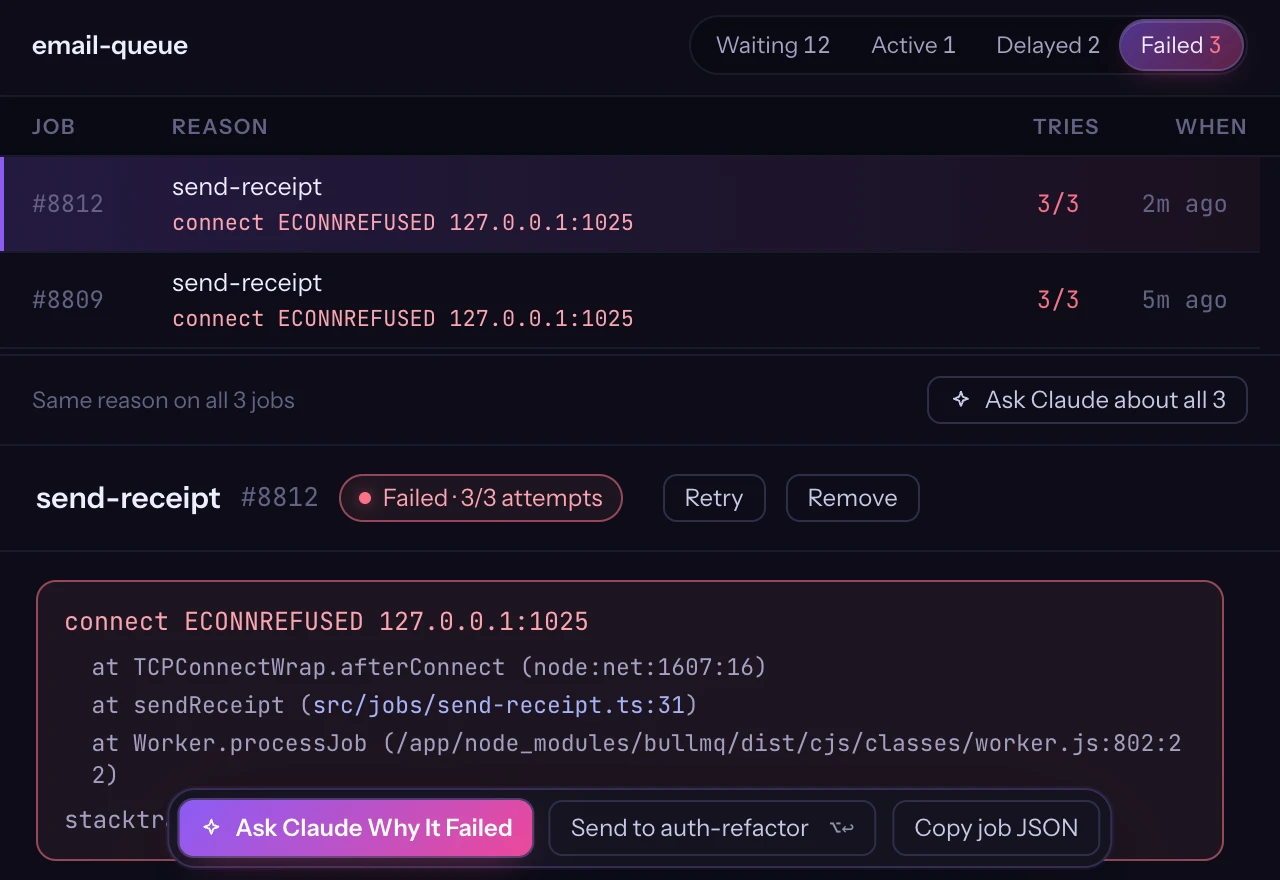
Atelier finds the Redis your project uses — on your Mac, in Docker or from Homebrew. Browse keys, watch your queues, and ask Claude why a job failed.

  • Keys by namespace, values pretty-printed, secrets masked until you show them
  • Queues of BullMQ, Bull, Sidekiq, Laravel, Celery, RQ, Asynq and Resque, failed jobs with their stack
  • Local only: every change asks first and can be undone
Try it live
The failed jobs of a BullMQ queue in Atelier: the error and its stack, one click from asking Claude why it failed
⌃⇧R Redis

Changes

See who changed what.

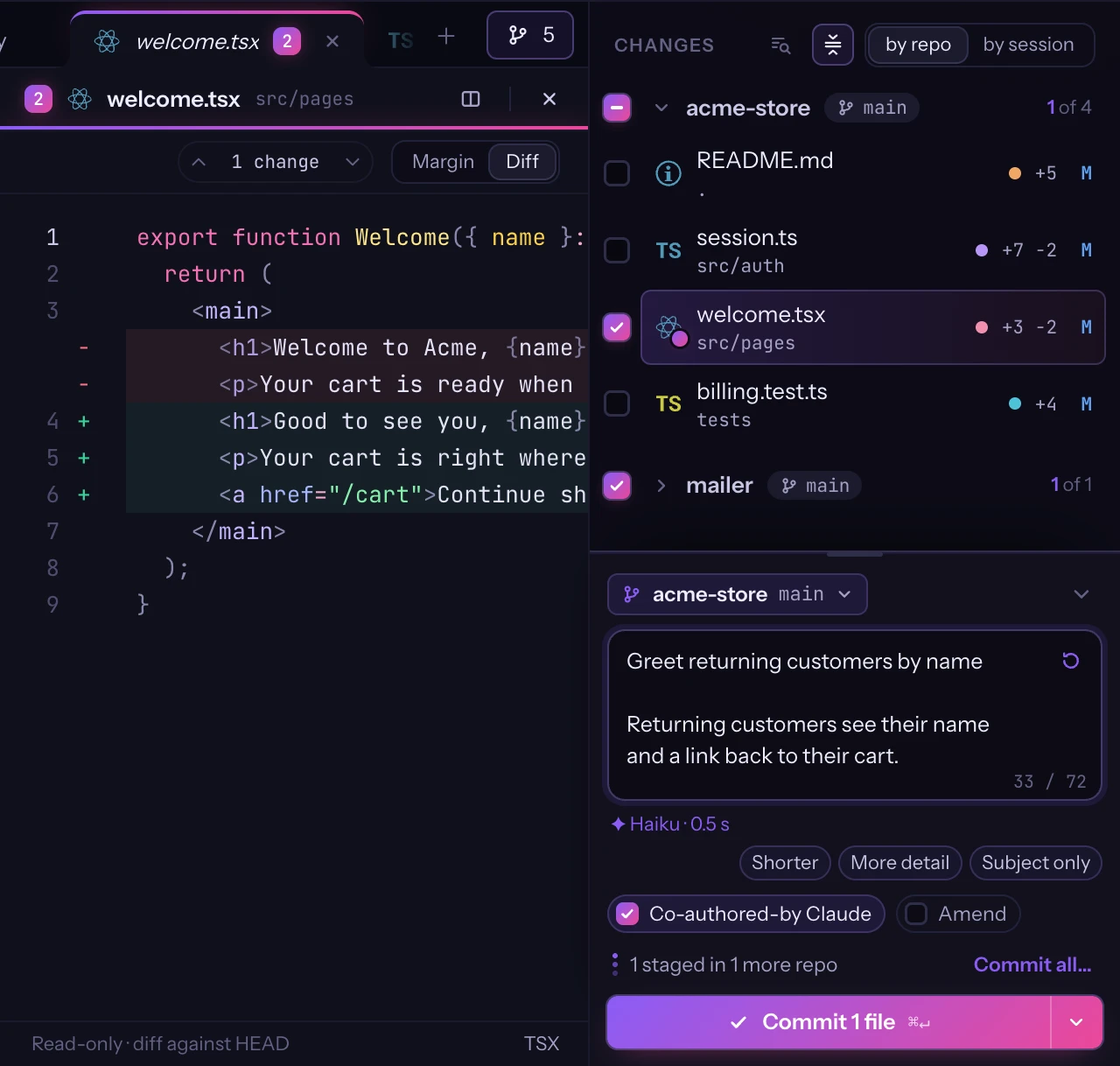
Every changed file carries the colour of the session that touched it — down to the exact command. Commit it right there.

  • Changes by session or by repository, reviewed with line comments sent back to Claude
  • Commit and push from the panel, several repositories at once, messages written by Claude
  • Source Control: sync, branches and stashes, history graph, pull request and CI chips
Try it live
The changed files coloured by session, one staged, and the commit drawer with a message Claude wrote, next to the file's diff
onboarding-copy · welcome.tsx⌥⌘M message by Claude

Automations

Tasks that start themselves.

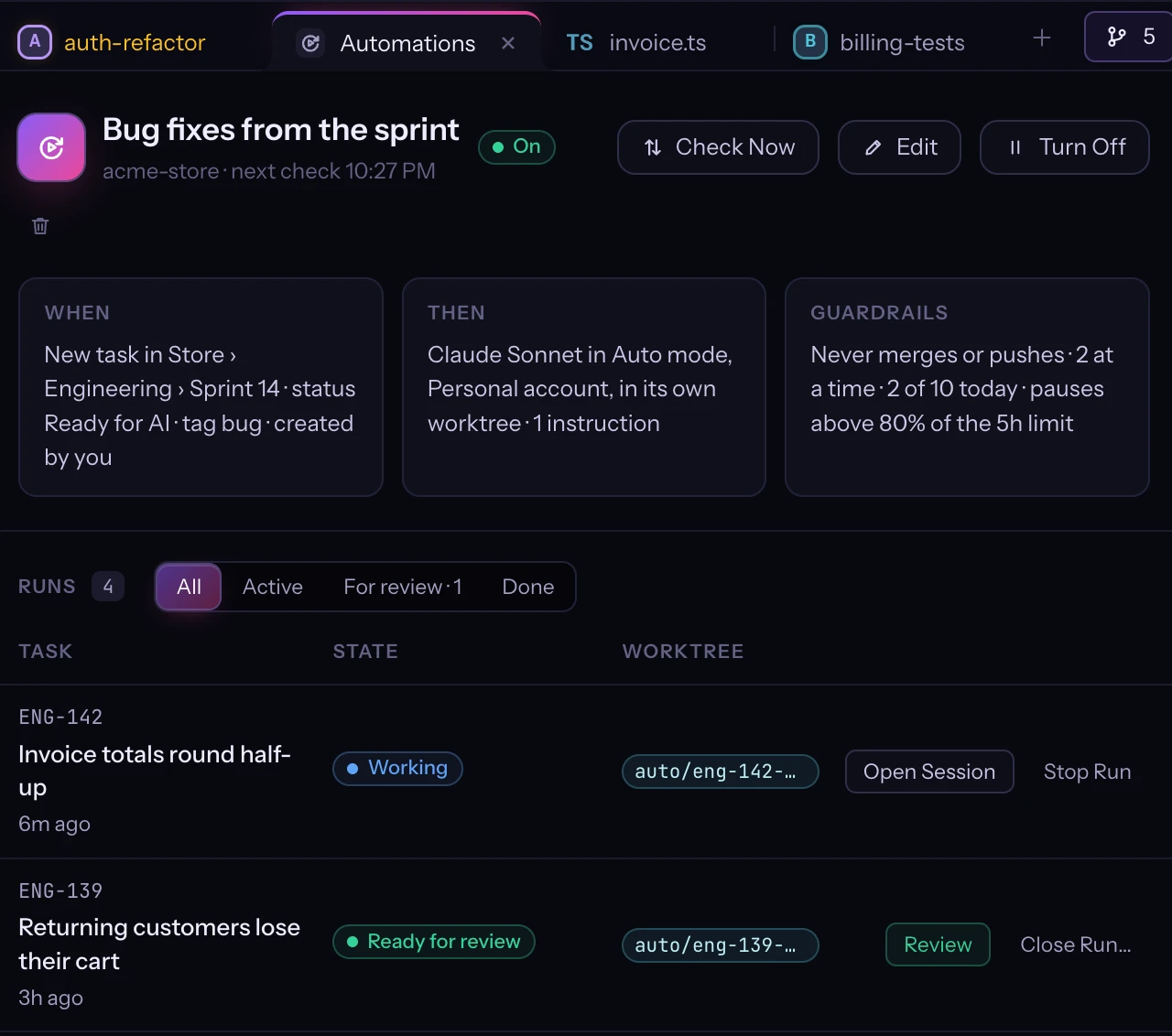
Pick a ClickUp list, a Notion database or a Jira project and what a task must match. When one does, Atelier starts a Claude session on it in a worktree of its own, and says why.

  • Its own branch and worktree for each task; it never merges or pushes
  • Limits per rule, per day and across projects, and a pause near your usage limit
  • It stops to ask you, or decides and lists every choice at the end
Try it live
The Automations tab: a rule that is on, what it watches and what Claude does, its guardrails, and its runs at work and for review
⌘⇧A Automations

Editor

A real editor next to Claude.

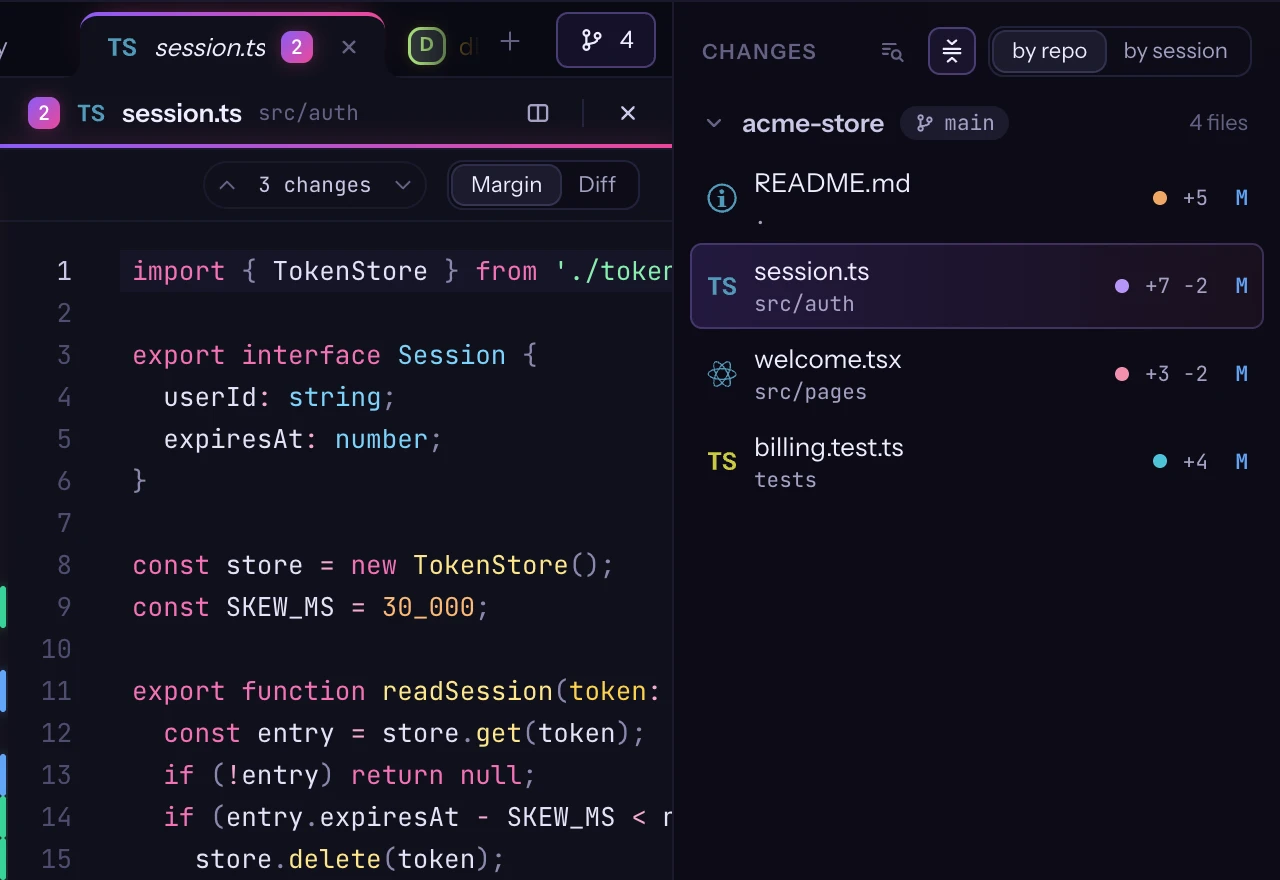
Open, edit and save files without leaving the session. When Claude edits the same file, nothing gets lost.

  • Find and replace, comments, Markdown preview, a JSON tree and CSV tables
  • Compare, keep yours or reload when Claude changes a file
  • ⌘L mentions the selected lines in the session
Try it live
A TypeScript file with its changes marked in the margin, next to the session that made them
⌘L @session.ts#L11-17

Dictation

Talk to Claude.

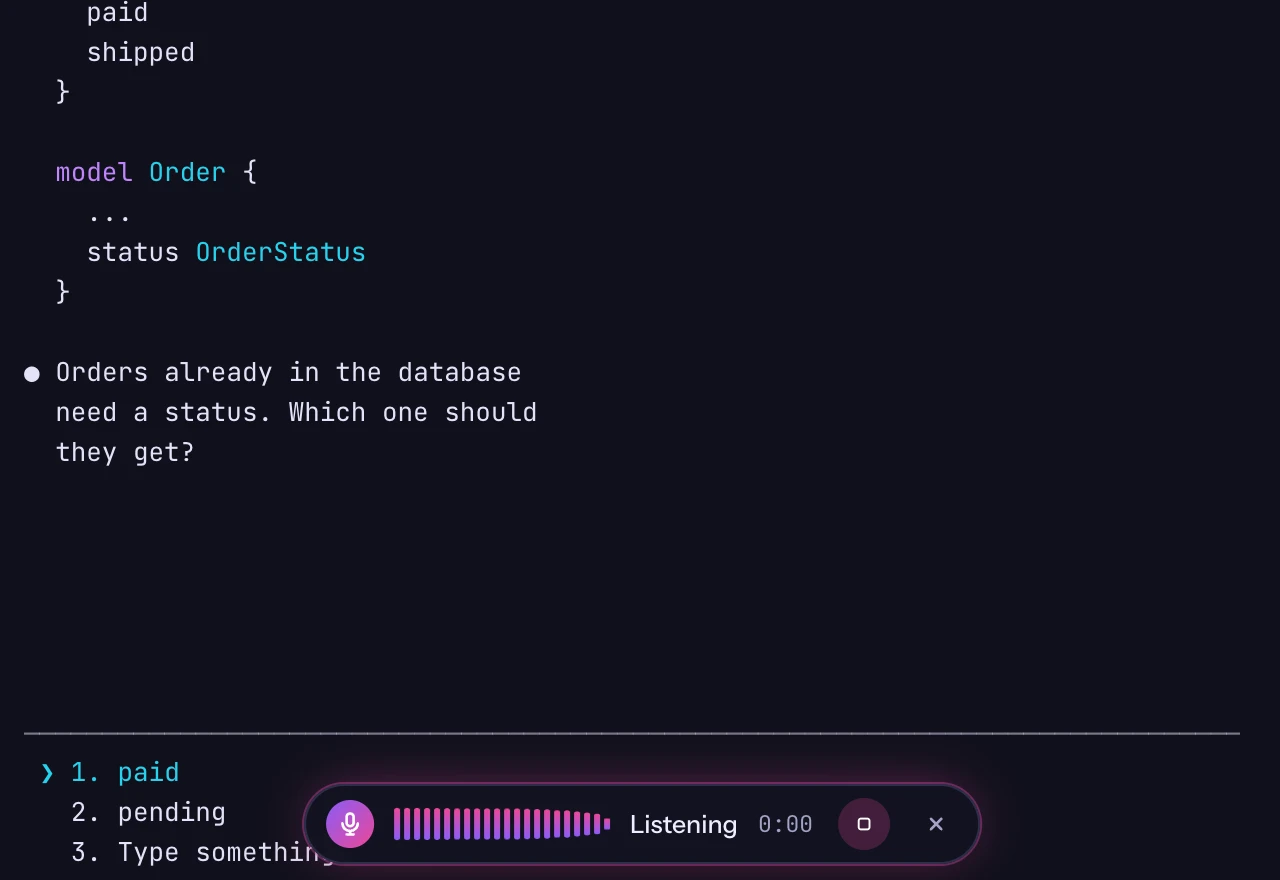
Hold ⌥Space and speak. Transcription runs on your Mac, so your voice never leaves it.

  • On-device transcription with whisper.cpp on Metal
  • Optional clean-up of the text by Claude Haiku (the text, never the audio)
  • Off until you turn it on
The dictation pill listening while Claude waits for an answer
⌥Space hold to talk

Claude accounts

Personal and work, side by side.

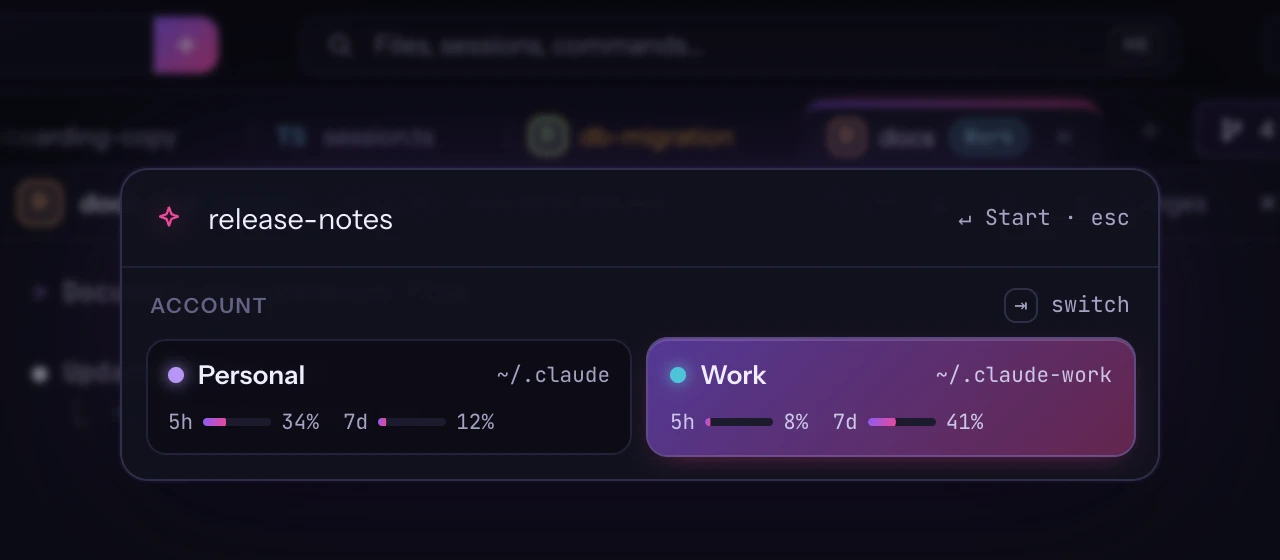
More than one Claude subscription? Pick the account as you start a session, with its limits in view. Every session remembers which one it runs as.

  • Each account's 5-hour and weekly limits, right where you choose
  • A chip on the sessions that run as another account
  • Resume, the session panel and dictation clean-up follow each session's account
  • Your own claude flags on every new session, or on one account's only
Try it live
New Session with two Claude accounts, Personal and Work, each with its limits; Work is picked
⇥ switch account

Always alive

Close the app. Your sessions keep going.

A background service owns your terminals. Quit Atelier, install an update or restart your Mac: pick up where you left off.

  • Sessions keep running when the window closes
  • Updates install on restart without closing sessions
  • Resume past conversations from the sidebar (⌘⇧N)
Atelier reopened with the same sessions still running
Reopened · 5 sessions still running

And more

Small things that add up.

Shortcuts

Keyboard first.

  • ⌘JNext session waiting
  • ⌘KCommand palette
  • ⌘\Split view
  • ⌥SpaceDictate
  • ⌘LMention lines
  • ⌘NNew session
  • ⇧⌘NResume a session
  • ⌥⌘KCommit
  • ⌥⌘MMessage with Claude

Your sessions, finally in order.

Free · Apple Silicon · macOS 13+ · Windows 10 & 11 · Notarized by Apple

Stable and Beta channels · updates install on restart, sessions keep running